
Urban homeowners juggle the daily reality of securing multiple entry points while keeping digital privacy intact. With apartment living in cities like New York or Tokyo, security concerns reach beyond break-ins to worry about how data travels between smart devices. Choosing cloud-free home security means your family’s personal moments stay at home and not in an unknown server. This guide walks through practical steps for assessing risks, setting up automation, and keeping privacy at the heart of every decision.
Table of Contents
- Step 1: Assess Existing Security Risks And Needs
- Step 2: Choose And Set Up An Edge AI Security Hub
- Step 3: Integrate Automation And Smart Sensors
- Step 4: Personalize Routines And Security Alerts
- Step 5: Verify System Performance And Privacy
Quick Summary
| Key Insight | Explanation |
|---|---|
| 1. Assess Home Security Vulnerabilities | Identify existing weaknesses in home security by evaluating entry points and potential digital threats. Document areas needing coverage and prioritize them based on your family’s needs. |
| 2. Choose an Edge AI Security Hub | Select a security hub that processes data locally for enhanced privacy and faster response times, ensuring compatibility with your devices and future expansions. |
| 3. Implement Smart Sensors and Automation | Add smart sensors and configure automation rules to create an intelligent response system, preventing potential security issues based on real-time data detection. |
| 4. Personalize Security Alerts and Routines | Tailor your security system’s alerts and routines according to your family’s schedule and preferences to reduce alert fatigue and increase effectiveness. |
| 5. Regularly Verify System Performance | Continuously test and verify the functionality of sensors and privacy settings to ensure your security system operates effectively and protects personal data. |
Step 1: Assess existing security risks and needs
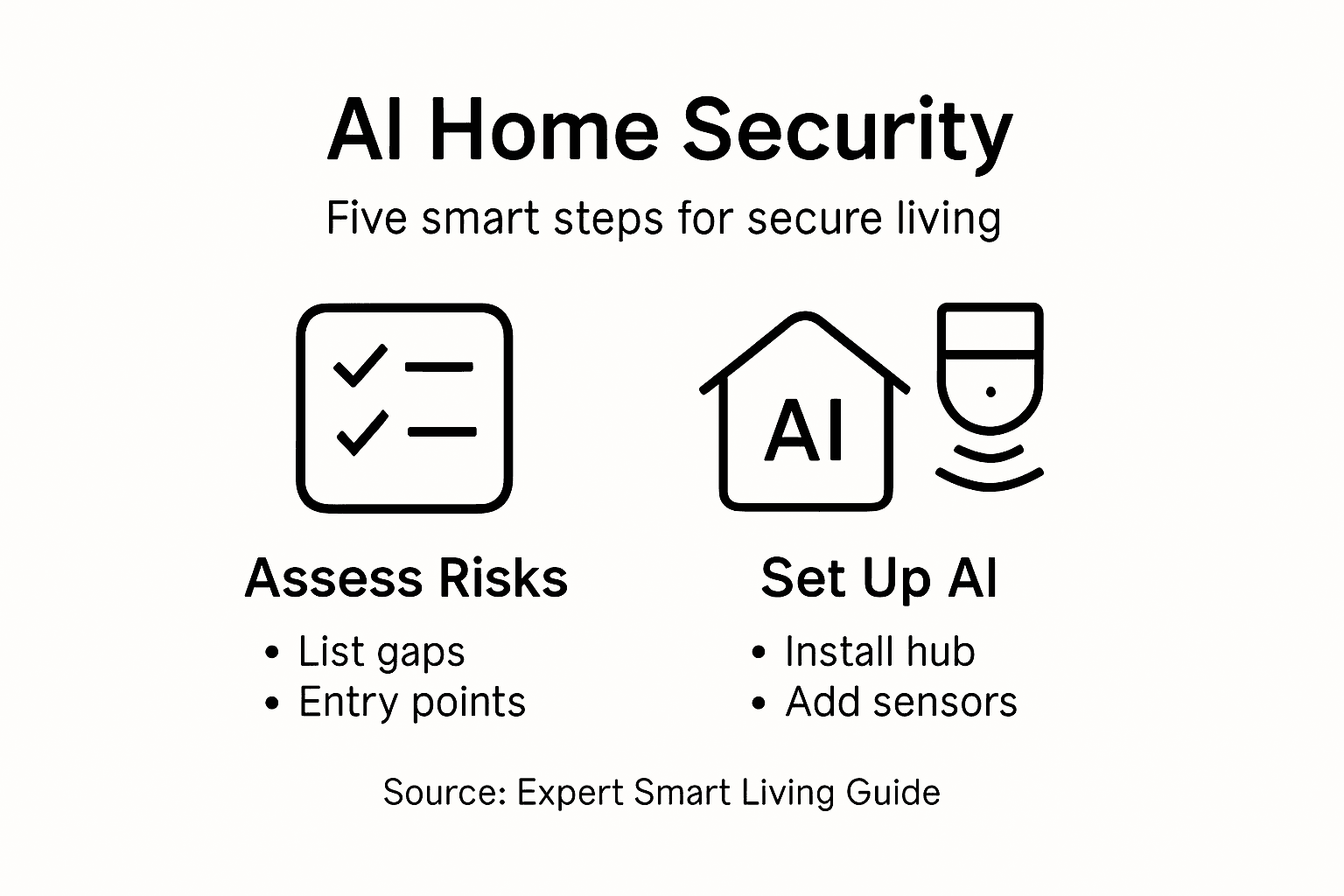
Before you install any smart home security technology, you need to understand what you’re actually trying to protect. This means taking an honest look at your home’s vulnerabilities, your family’s specific concerns, and the threats that matter most to your situation. Urban homeowners often face different security challenges than suburban residents, and your tech-savvy perspective means you probably care about privacy concerns that go beyond physical break-ins. Spend time mapping out your current setup and identifying the gaps.
Start by walking through your home as if you’re a potential intruder. Check your entry points: doors, windows, ground-level access points, and even less obvious vulnerabilities like basement windows or garage doors. Document which areas feel exposed or lack adequate monitoring. Then shift your thinking to digital threats. Smart home security risks extend beyond simple camera feeds. You should consider whether your current systems adequately protect against unauthorized access, how your devices communicate with each other, and what data they’re collecting about your family’s movements and habits. This is where cloud-free solutions become attractive because they keep your security footage and personal data within your home rather than relying on external servers.
Next, consider your specific needs by asking yourself practical questions. Do you travel frequently and need remote monitoring? Are you concerned about package theft on your porch? Do you have elderly family members or young children whose safety patterns you want to track? Do you worry about false alarms triggering unnecessary police response fees? Your answers directly shape which security features matter most. You might also assess whether you need integration with other smart home systems, like lights that turn on automatically when motion is detected, or locks that adjust based on your location. Think about your tolerance for complexity too. Some homeowners want granular control over every setting, while others prefer systems that work intelligently without constant adjustment.
Documenting current gaps requires more than mental notes. Create a simple list of areas without coverage, types of incidents you’ve experienced (even minor ones), and specific vulnerabilities you’ve identified. Note which family members should have access to security controls and how they prefer to receive alerts. You might also want to research how AI addresses emerging cybersecurity challenges since understanding these threats helps you make informed choices about what protection you actually need. An urban apartment has vastly different security needs than a house with multiple access points and outdoor spaces, so tailoring your assessment to your specific living situation prevents you from installing unnecessary features while missing critical gaps.
Pro tip: Create a simple spreadsheet listing each entry point, current monitoring status, past security concerns, and priority level for improvement. Revisit this list quarterly since your needs may change with seasons or life circumstances.
Step 2: Choose and set up an edge AI security hub
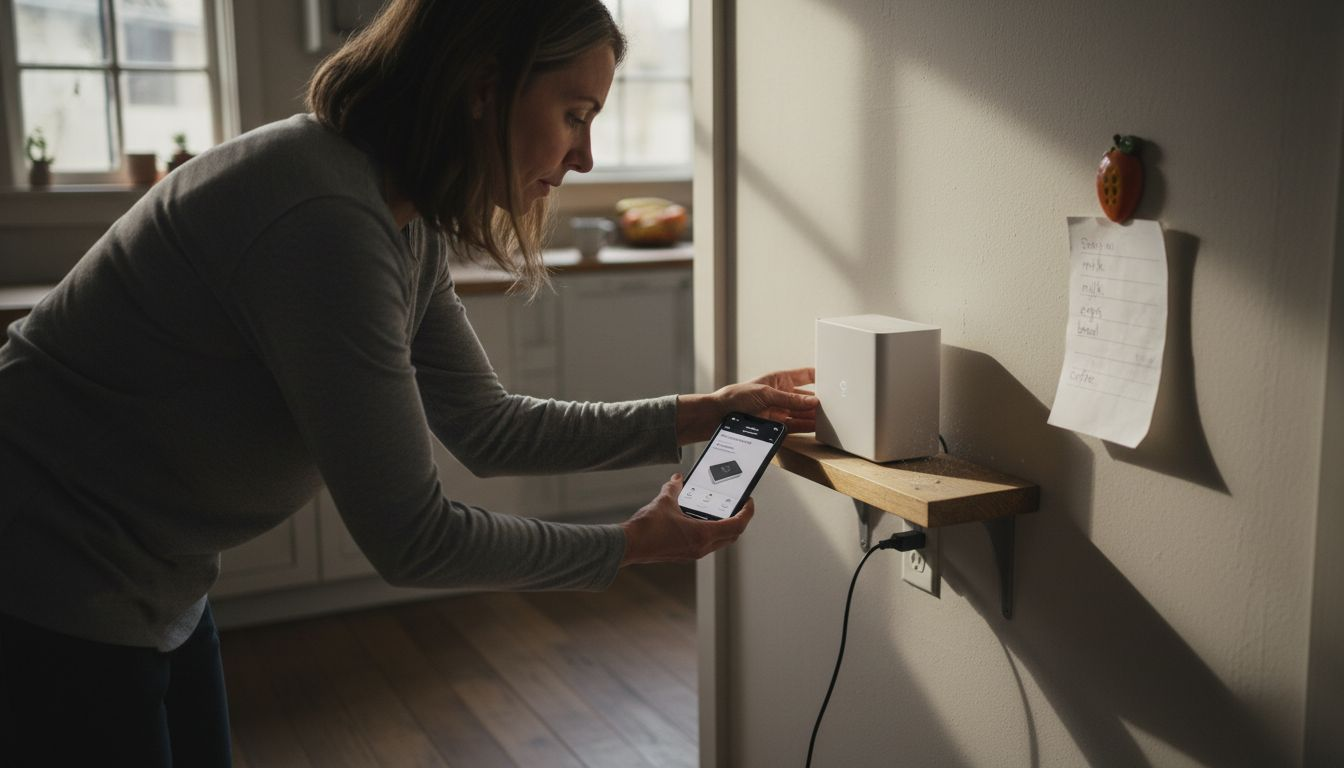
Your security hub is the brain of your entire system. This central device manages communication between cameras, sensors, locks, and other components while running AI analysis locally on your network. Unlike cloud-dependent systems that send footage to distant servers, an edge AI hub processes video and security data right in your home, keeping your family’s information private and enabling faster response times when threats are detected. Choosing the right hub means understanding what processing power you need, what devices it can control, and how it aligns with your privacy concerns.
Start by evaluating what your hub needs to accomplish. A smart home hub functions as the central control unit that facilitates communication among devices using various protocols like Wi-Fi, Zigbee, and Z-Wave protocols. Think about how many cameras, door sensors, and smart locks you plan to connect. Consider whether you need real-time video processing or if you’re primarily focused on automating lights and locks. An urban apartment with three entry points needs less processing power than a multi-story house with outdoor cameras and perimeter sensors. You should also check compatibility with devices you already own and plan to purchase. Some hubs work with almost everything, while others require specific brands or proprietary equipment. Ask yourself whether you want to expand your system over time, because choosing a hub with support for open standards means you won’t be locked into one manufacturer’s ecosystem.
The critical differentiator for privacy-conscious homeowners is processing location. Traditional smart home hubs upload footage to cloud servers, which means your security data travels across the internet and sits on someone else’s servers. Edge AI processing enables real-time AI analysis directly on your home security hub instead, which dramatically reduces reliance on cloud services and keeps sensitive data within your home’s walls. This is where the technology powering modern AI hubs really shines. Your hub analyzes video for movement, recognizes familiar faces, detects packages, and identifies threats without ever sending raw footage elsewhere. The difference in responsiveness is noticeable too. Cloud dependent systems can have delays as data travels back and forth, while local processing means your lights turn on or your alerts trigger instantly.
To help decide which security hub best fits your needs, here is a comparison of edge AI hubs and cloud-based systems:
| Criteria | Edge AI Security Hub | Cloud-Based Security Hub |
|---|---|---|
| Data Privacy | Stays within your home network | Data sent to third-party servers |
| Reaction Speed | Immediate local responses | Potential for network delays |
| Device Compatibility | Often supports open standards | Sometimes brand-locked ecosystems |
| Ongoing Costs | Usually no subscription fees | Often requires monthly fees |
When actually setting up your hub, start with a central location that can communicate clearly with all your devices. A closet near your router or a bedroom shelf works better than a basement corner if you need strong signal throughout your home. Follow the manufacturer’s setup process, which typically involves connecting to your Wi-Fi network and adding devices one by one. Most hubs have mobile apps that guide you through pairing each camera, sensor, and lock. Take your time with this step rather than rushing through it, because proper setup prevents frustration later. Configure automation rules that make sense for your life. Maybe you want cameras to start recording when you leave home, or lights to activate when motion is detected at night. Set notification preferences so you only get alerted about events that matter to you rather than every single motion detection. Different family members might need different access levels, so create appropriate user accounts and permissions now rather than managing confusion later.
Pro tip: Place your hub near the center of your home and on a shelf or elevated surface rather than on the floor to maximize wireless range to all your devices, and keep it away from thick walls that can block signals.
Step 3: Integrate automation and smart sensors
Now that your hub is set up, it’s time to add the sensors and automation that transform your security system from passive monitoring into an intelligent, responsive environment. Smart sensors detect motion, temperature changes, door and window openings, and other conditions that matter to your safety. When paired with automation rules, these sensors trigger actions automatically without requiring you to intervene. This is where your system becomes truly smart, adapting to your family’s patterns and preventing security issues before they escalate.
Start by identifying which sensors make sense for your specific vulnerabilities. Motion sensors work best at entry points and in areas where unauthorized movement would be unusual, like hallways or basements. Door and window sensors alert you immediately when access points are opened, creating a basic perimeter defense. Environmental sensors monitor temperature, humidity, or water leaks, which matter less for security but help with overall home safety. When you’re planning sensor placement, think about your daily patterns. A motion sensor near your front door makes sense, but one in your hallway where you walk every evening will generate constant false alerts. Place sensors where they detect genuine threats rather than your normal movement through your home. AI-based automation in smart homes integrates these sensors through intelligent rules that learn your patterns and reduce false alarms over time. Your system becomes smarter as it understands when movement is normal versus suspicious.
Here is a quick reference to common sensor types and their ideal placements:
| Sensor Type | Monitors | Best Placement |
|---|---|---|
| Motion Sensor | Unexpected movement | Entryways, restricted areas |
| Door/Window Sensor | Access points opening | Doors, ground-floor windows |
| Environmental Sensor | Temperature/water risks | Basements, bathrooms, kitchens |
| Glass Break Sensor | Broken window detection | Near large glass windows, doors |
Configuring automation rules is where the real power emerges. Begin with simple, obvious rules and then expand gradually. A basic rule might be “turn on lights when motion is detected at night,” which improves safety and deters intruders by eliminating dark entry points. Another straightforward automation is “lock the front door at 10 PM if it’s not already locked,” ensuring you never accidentally leave it open overnight. More sophisticated rules might include location-based triggers, like “arm the security system when everyone leaves home,” which uses your phone’s location to automatically activate full monitoring. Smart home automation systems enable custom automation rules such as locking doors, turning on lights based on motion detection, and receiving reminders for security-related events, giving you flexibility to match your family’s specific needs.
When adding new sensors, pair them one at a time and test each automation rule thoroughly before moving forward. Many tech-savvy homeowners make the mistake of adding everything at once and then struggling to troubleshoot which rule is causing unwanted behavior. Instead, add a sensor, configure its automation, watch how it performs for a few days, then move to the next one. Pay attention to notification fatigue too. Your system should alert you about genuine concerns but not bombard you with every minor motion detection or environmental fluctuation. Most hubs let you set sensitivity levels for sensors and conditions for when alerts actually notify you versus when they just log data. Adjust these settings based on real experience rather than theoretical scenarios. What sounds important in planning often proves annoying in practice, so give yourself grace to modify rules as you learn what actually works for your household.
Pro tip: Start with motion sensors at your main entry points, test the automation for one week, then expand to other areas once you’ve fine-tuned sensitivity levels and alert preferences to match your actual daily patterns.
Step 4: Personalize routines and security alerts
Your security system works best when it adapts to your life rather than forcing you to adapt to it. Personalization means configuring routines and alerts so they reflect your family’s actual schedule, your priorities, and your tolerance for notifications. A system that alerts you about every motion detection becomes background noise. A system that understands your patterns and alerts you only when something genuinely unusual happens becomes trustworthy and genuinely useful. This step transforms your security setup from a one-size-fits-all tool into something that feels like it was built specifically for your household.
Start by mapping out your typical week. When does everyone leave for work or school? When do you return home? Are there regular visitors like dog walkers or cleaners? Do your children have specific after-school activities that change your occupancy patterns? Write down these patterns because they form the foundation of smart personalization. Your system should know that motion detected at 8 AM on a weekday near your front door is probably you leaving, but motion at 2 AM in your backyard deserves immediate attention. Modern systems use personalized task execution aligned with household preferences to tailor behaviors and alerts according to individual routines, learning what normal looks like for your specific family. This means the system adapts automatically as your schedule changes, rather than requiring manual reconfiguration.
Create different security profiles for different situations. Your “Home” profile might keep perimeter sensors active but disable motion sensors inside since you’re moving around normally. Your “Away” profile activates all sensors and enables immediate alerts for any door or window opening. Your “Sleep” profile keeps entry point sensors active but ignores interior motion, reduces outdoor camera sensitivity, and sends alerts only to your bedroom speaker or phone rather than triggering loud alarms. Most systems also let you create profiles for guests, cleaners, or family members who have different access needs. When your sister visits from out of town, you can temporarily adjust rules so the door unlock sensor doesn’t trigger alerts when she enters. These profiles save you from manually adjusting dozens of settings every time your circumstances change.
Alert customization is where most people get it wrong initially. The instinct is to receive alerts about everything so you never miss anything, but that leads to alert fatigue where you start ignoring notifications. Instead, think strategically about what actually requires immediate notification versus what you just want logged. A door opening at night when no one should be home deserves an immediate push notification and alarm. A package detected on your porch during the day deserves an email summary you can check later. A motion sensor trigger from blowing trees or neighborhood cats probably shouldn’t notify you at all, just log data. Set different notification thresholds for different sensors and events. Maybe your front door sensor notifies you of every opening, but your back gate sensor only notifies you if it opens three times in an hour, which suggests suspicious activity rather than normal fence maintenance.
Test your personalization by living with it for two weeks before making final adjustments. You’ll discover that settings that seemed logical in planning often feel different in practice. A rule that seemed essential might prove annoying. A sensor you thought unnecessary might catch something unexpected. Give yourself permission to iterate and refine. The beauty of modern AI-powered systems is that they learn your patterns over time, becoming smarter and more accurate at distinguishing normal from abnormal. Your system gets better at its job the longer you use it, especially if you adjust settings based on real experience rather than hypothetical scenarios.
Pro tip: Create three profiles for your most common scenarios (home, away, sleep), test each thoroughly for one week, then add additional profiles only if you identify a situation that doesn’t fit your existing routines.
Step 5: Verify system performance and privacy
Once your security system is running, you need to verify that it’s actually performing as intended and protecting your privacy the way you expect. This means checking that cameras are capturing the right angles, sensors are detecting what they should, alerts are arriving when they’re supposed to, and most importantly, your personal data stays within your home rather than being transmitted to unknown servers. A system that works perfectly but leaks your family’s daily patterns to the cloud defeats the entire purpose. Taking time to verify performance and privacy gives you confidence that your investment is genuinely protecting your family.
Start by testing each component systematically. Walk past motion sensors to confirm they detect your movement within reasonable range and sensitivity settings are working as configured. Open doors and windows to verify sensors trigger appropriately without excessive false alarms. Check that cameras are positioned correctly, focusing on your intended areas rather than your neighbors’ properties or the street. Review the first week’s recorded footage to see what your cameras actually capture versus what you assumed they would. You might discover that your front door camera is catching mostly sky rather than faces, or that a motion sensor’s range is shorter than you expected. These discoveries matter far more after implementation than before, because they reveal real performance rather than theoretical capability. Test alerts by triggering events intentionally. Set off a motion sensor deliberately and confirm you receive the notification within seconds. Open a door and verify the alert matches your configured settings. This hands-on testing prevents unpleasant surprises when you actually need your system to work.
Privacy verification requires more deliberate effort. First, confirm your system operates on local processing rather than cloud uploading by checking your network traffic or reviewing your hub’s documentation. An edge AI system processes video and sensor data within your home, meaning your security footage never leaves your network. You should verify this matches your expectations rather than assuming it based on marketing language. Check your hub’s settings to understand what data it collects, how long it stores information, and whether any information is transmitted externally. Some systems require cloud accounts for mobile access, meaning your system sends notifications through cloud servers but keeps actual video footage local. That’s different from systems that upload all footage. Understand the distinction for your specific setup. Review privacy settings for your hub and connected devices to disable any optional cloud features you don’t need. Many systems offer cloud backup, cloud-based remote access, or cloud analytics features that you can turn off if privacy is your priority. Disabling these features might reduce convenience, but it strengthens privacy. Standards and guidelines for managing cybersecurity and privacy risks in AI systems emphasize evaluating your setup for trustworthy performance and privacy protection, which applies directly to verifying your home security system operates as intended.
Monitor your system’s performance over time rather than just at setup. Cameras accumulate dust or get bumped out of position. Sensors occasionally fail or lose sensitivity. Settings that seemed perfect become suboptimal as seasons change or your family’s routines shift. Schedule a monthly review of recent footage, sensor triggering patterns, and alert effectiveness. Identify any alerts that didn’t occur when they should have or false alarms that suggest sensor sensitivity needs adjustment. Document these observations and adjust settings accordingly. Watch for firmware updates to your hub and connected devices, as these often include security improvements and bug fixes. Best practices for securely deploying AI systems include continuous monitoring to verify system performance while protecting user privacy, which means your initial setup is just the beginning of maintaining a secure, trustworthy system.
Pro tip: Create a simple monthly checklist testing motion sensors, door sensors, camera angles, and notification delivery, then review one week of footage to catch performance issues before they impact actual security.
Experience Smarter, Safer Living Today with OVAL
If you have been exploring how to enhance home security with AI you know the challenge of balancing privacy, responsiveness, and seamless automation. Whether you want to protect your family from intrusions detect unusual activity instantly or personalize alerts based on your routines the key is having a truly intelligent system that operates locally to keep your data private. That is exactly what IRVINEi delivers with OVAL an edge AI hub designed to bring privacy and control back to your home security.

Discover how OVAL acts as your personal assistant and bodyguard by running AI directly on the device without sending sensitive footage to the cloud. Feel the peace of mind that comes from immediate local responses and customizable automation tailored to your lifestyle. Don’t settle for generic security solutions when you can step into the future of intelligent living today. Visit IRVINEi’s home page or learn more about the AI-powered OVAL at hellooval.com and secure your home with the smartest technology available.
Frequently Asked Questions
How can I assess my home’s current security needs before implementing AI technology?
To assess your home’s security needs, start by evaluating potential vulnerabilities. Walk through your home as if you were an intruder, documenting entry points and identifying areas that lack monitoring.
What should I consider when choosing an edge AI security hub for my smart home?
When choosing an edge AI security hub, evaluate its processing power and compatibility with your existing devices. Ensure it has features that support local data processing to enhance privacy and reduce latency in response times.
How can I set up automation rules effectively for my smart security system?
To set up automation rules effectively, begin with simple scenarios that match your daily routines. You might create a basic rule such as turning on lights when motion is detected at night and test it for a week before expanding to more complex automations.
What types of sensors should I install for maximum home security?
For maximum home security, install motion sensors at entry points, door/window sensors on access points, and environmental sensors for monitoring temperature and leaks. Strategically place them to cover the most vulnerable areas while minimizing false alarms.
How can I ensure my smart home security system maintains privacy for my family’s data?
To ensure privacy, verify that your system utilizes local processing instead of sending data to the cloud. Regularly check your hub’s settings to manage what data it collects and how it is stored, disabling unnecessary cloud features to keep your information secure.
What is the best way to verify the performance of my AI security system?
To verify the performance of your AI security system, systematically test each component like sensors and cameras to confirm they function correctly. Create a monthly checklist to evaluate motion detection and alert effectiveness, and review recorded footage to ensure your system meets your security needs.
