
Most burglaries occur when suburban homes are unoccupied during daylight hours, making gaps in your security setup especially risky. By addressing every potential vulnerability, from physical entry points to network privacy, tech-savvy homeowners in places like Canada, the United States, and across Europe can create powerful, AI-enhanced systems tailored for their unique needs. This guide walks you through every step for comprehensive home security assessment, advanced device setup, automation integration, and privacy management, giving you the tools to safeguard your family and property.
Table of Contents
- Step 1: Evaluate Your Home’s Security Needs
- Step 2: Install and Set Up AI Security Devices
- Step 3: Integrate Smart Automation Features
- Step 4: Configure Privacy and Control Settings
- Step 5: Test and Verify Security System Reliability
Quick Summary
| Key Point | Explanation |
|---|---|
| 1. Assess Home Security Needs | Evaluate entry points, lighting, and visibility to identify vulnerabilities in your home security. |
| 2. Install AI Security Devices | Carefully plan device placement and network setup to create an integrated and effective security system. |
| 3. Integrate Smart Automation Features | Use AI technologies to implement voice control, mobile app integration, and intelligent alerts for enhanced security. |
| 4. Configure Privacy Settings | Establish strict privacy controls to protect personal data while maintaining comprehensive home monitoring. |
| 5. Test System Reliability | Regularly verify functionality and response times of security devices to ensure optimal performance and reliability. |
Step 1: Evaluate your home’s security needs
Understanding your home’s unique security requirements is the foundation of creating an effective AI-powered protection strategy. A comprehensive security assessment helps you identify potential vulnerabilities and design targeted solutions that match your specific living environment.
To conduct a thorough home security evaluation, start by systematically examining potential entry points. This process involves critically analyzing several key areas:
- Physical entry points: Inspect doors, windows, and locks for potential weaknesses
- Exterior lighting: Assess outdoor illumination and potential dark zones
- Property visibility: Evaluate how easily your home can be observed from the street
- Neighborhood risk factors: Research local crime statistics and patterns
Carefully document each potential vulnerability you discover. Look for specific details like:
- Types of door locks currently installed
- Condition of window frames and glass
- Blind spots around your property
- Landscape features that might provide hiding spots
A strategic home security assessment reveals vulnerabilities before potential intruders can exploit them.
Detailed documentation will help you prioritize security upgrades and create a targeted plan for implementing AI-enhanced protection technologies.

Here’s how different AI-enhanced security measures contribute to overall home protection:
| Security Measure | Primary Benefit | Typical Implementation |
|---|---|---|
| Smart Cameras | Real-time threat detection | Entryways and driveways |
| Smart Locks | Remote access control | Main doors and gates |
| Motion Sensors | Intruder movement alerts | Hallways and blind spots |
| Automated Lighting | Deters unwanted activity | Yards and entry perimeters |
Pro tip: Consider conducting your security assessment during different times of day to understand how lighting and visibility change, revealing potential hidden vulnerabilities.
Step 2: Install and set up AI security devices
Installing AI security devices requires strategic planning and precise configuration to ensure comprehensive home protection. The goal is to create an integrated system that seamlessly monitors and responds to potential security threats.
When setting up your AI security infrastructure, focus on implementing foundational protection measures across all connected devices. This involves several critical steps:
- Device placement: Strategically position cameras and sensors for maximum coverage
- Network configuration: Secure your home network and establish device connectivity
- Privacy settings: Configure permissions and access controls
- Software updates: Ensure all devices have the latest security firmware
Begin your installation process with these key actions:
- Select compatible AI security devices that integrate smoothly
- Verify your home’s network bandwidth and internet stability
- Create secure login credentials for each device
- Test device functionality before finalizing placement
Comprehensive AI security requires thoughtful device selection and meticulous setup to protect your home effectively.
Each device should be carefully configured to communicate with your central security hub, creating a unified and intelligent monitoring system.
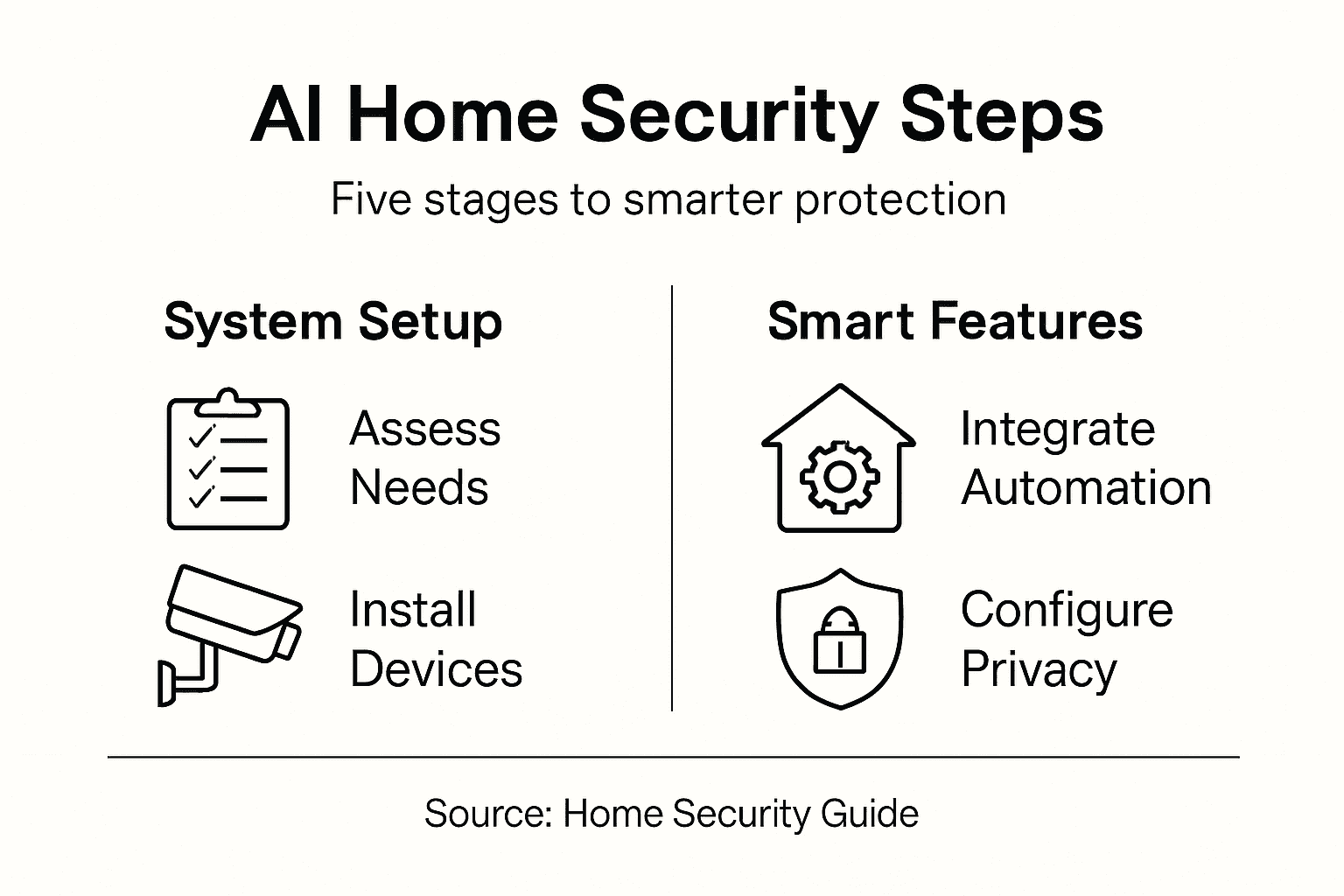
Compare AI security device configuration best practices and common pitfalls:
| Practice | Ideal Outcome | Common Pitfall |
|---|---|---|
| Network segmentation | Limits data breach exposure | All devices share one network |
| Regular firmware updates | Maximized device security | Outdated, vulnerable software |
| Strong device credentials | Prevents unauthorized access | Weak or reused passwords |
| Device functionality tests | Ensures system reliability | Devices left untested |
Pro tip: Consider creating separate network credentials for your security devices to add an extra layer of protection and isolation from your primary home network.
Step 3: Integrate smart automation features
Transforming your home security system into an intelligent, responsive network requires strategic integration of smart automation features. By leveraging cutting-edge AI technologies, you can create a dynamic environment that adapts to your lifestyle and provides comprehensive protection.
Begin by exploring AI-powered IoT device integration that enables seamless control and intelligent monitoring. Your automation strategy should focus on several key interconnected elements:
- Voice control: Enable hands-free device management
- Mobile app integration: Create remote monitoring capabilities
- Intelligent alerts: Set up personalized threat detection
- Energy optimization: Configure smart power management
Implement your automation features through these systematic steps:
- Select compatible AI-enabled security devices
- Configure cross-device communication protocols
- Establish personalized automation rules
- Test and refine system responsiveness
Smart home automation transforms passive security systems into proactive, intelligent protection networks.
Successful integration requires careful planning and understanding of how different devices communicate and respond to potential security scenarios.
Pro tip: Create a staged implementation approach by integrating automation features gradually, allowing you to troubleshoot and optimize each component before full deployment.
Step 4: Configure privacy and control settings
Taking control of your home security system’s privacy settings is crucial for protecting your personal data and maintaining digital autonomy. Your goal is to create a secure environment that provides protection without compromising your personal information.
Learn to enhance AI-powered privacy management by implementing comprehensive control strategies that give you complete oversight of your smart home ecosystem. Your privacy configuration should address multiple critical dimensions:
- Data collection limits: Restrict unnecessary information gathering
- User access controls: Define precise permissions for device interactions
- Encryption settings: Secure communication channels
- Anonymization features: Protect personal identifiers
Implement your privacy settings through these methodical steps:
- Review default privacy configurations
- Customize user role permissions
- Enable advanced encryption protocols
- Set up periodic privacy audits
- Configure data retention and deletion policies
Privacy is not about hiding; it’s about maintaining control over your personal digital environment.
Thoughtful configuration ensures your smart home system provides security and convenience without unnecessary data exposure.
Pro tip: Create a dedicated email address exclusively for your smart home devices to further isolate and protect your primary personal information.
Step 5: Test and verify security system reliability
Validating your home security system’s performance is a critical step in ensuring comprehensive protection and peace of mind. Your goal is to systematically verify that every component functions precisely as intended, detecting and responding to potential security scenarios with accuracy and speed.
Adopt a rigorous approach to testing AI security system performance by implementing comprehensive evaluation techniques that assess multiple dimensions of reliability:
- Functional testing: Validate individual device and system responses
- Scenario simulation: Create realistic security threat scenarios
- Response time measurement: Check system reaction speeds
- False alarm assessment: Evaluate accuracy of threat detection
Conduct your reliability verification through these structured steps:
- Create controlled test environments
- Design multiple security scenario simulations
- Record and analyze system performance metrics
- Identify and document any potential performance gaps
- Recalibrate system settings based on test results
True security reliability emerges from consistent, thorough performance validation.
Systematic testing transforms your security system from a passive device to an actively intelligent protection mechanism.
Pro tip: Schedule quarterly comprehensive system tests to maintain ongoing reliability and catch potential performance degradation early.
Elevate Your Home Security with AI-Powered Innovation
Creating a safe and intelligent living space means addressing vulnerabilities with precision and control. This article highlights the critical steps to evaluate your home security needs and integrate AI technologies for real-time protection and privacy. If you are seeking to move beyond traditional security systems and embrace a solution that understands your home, lifestyle, and the importance of data privacy, the challenges raised here matter to you.
Discover how IRVINEi’s OVAL merges security, automation, and companionship in one elegant, edge AI device without relying on the cloud. From smart cameras and locks to intelligent alerts and privacy control, OVAL delivers a seamless personal assistant and bodyguard experience, empowering you with unparalleled safety and peace of mind.
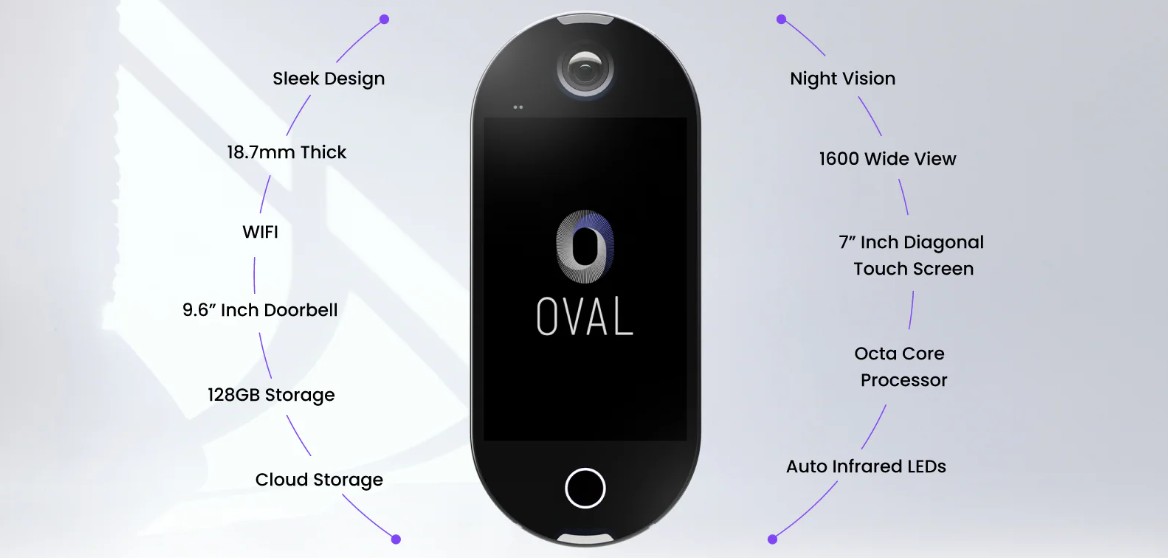
Protect your home today by exploring the future of intelligent living. Visit our homepage to learn how OVAL can transform your security system into a proactive, AI-driven shield. Take control now and experience a smarter, safer way to secure your home.
Frequently Asked Questions
How can I evaluate my home’s security needs?
To evaluate your home’s security needs, start by systematically examining potential entry points, such as doors and windows. Look for vulnerabilities in locks, lighting, and visibility from the street, and document your findings to create a targeted security improvement plan.
What steps are involved in installing AI security devices?
Installing AI security devices requires planning and precise configuration. Begin by selecting compatible devices, securing your home network, creating strong logins, and strategically placing cameras and sensors for maximum coverage.
How can I integrate smart automation features into my home security system?
To integrate smart automation features, select AI-enabled security devices that can communicate with each other. Establish personalized automation rules and test the system to ensure responsiveness, gradually adding features for optimal performance.
What privacy settings should I configure for my AI security system?
You should configure privacy settings by limiting data collection, defining user access controls, and enabling strong encryption protocols. Customizing these settings will help protect your personal information while ensuring your home security system operates effectively.
How can I test and verify the reliability of my security system?
To test and verify your security system’s reliability, conduct functional testing by creating realistic security scenarios and measuring the system’s response time. Schedule regular tests every few months to ensure ongoing system performance and catch any potential issues early.
